
Forsaken Free For All Controls
WASD, Shift, M1, ability keys, G emotes, and the HUD buttons on mobile.
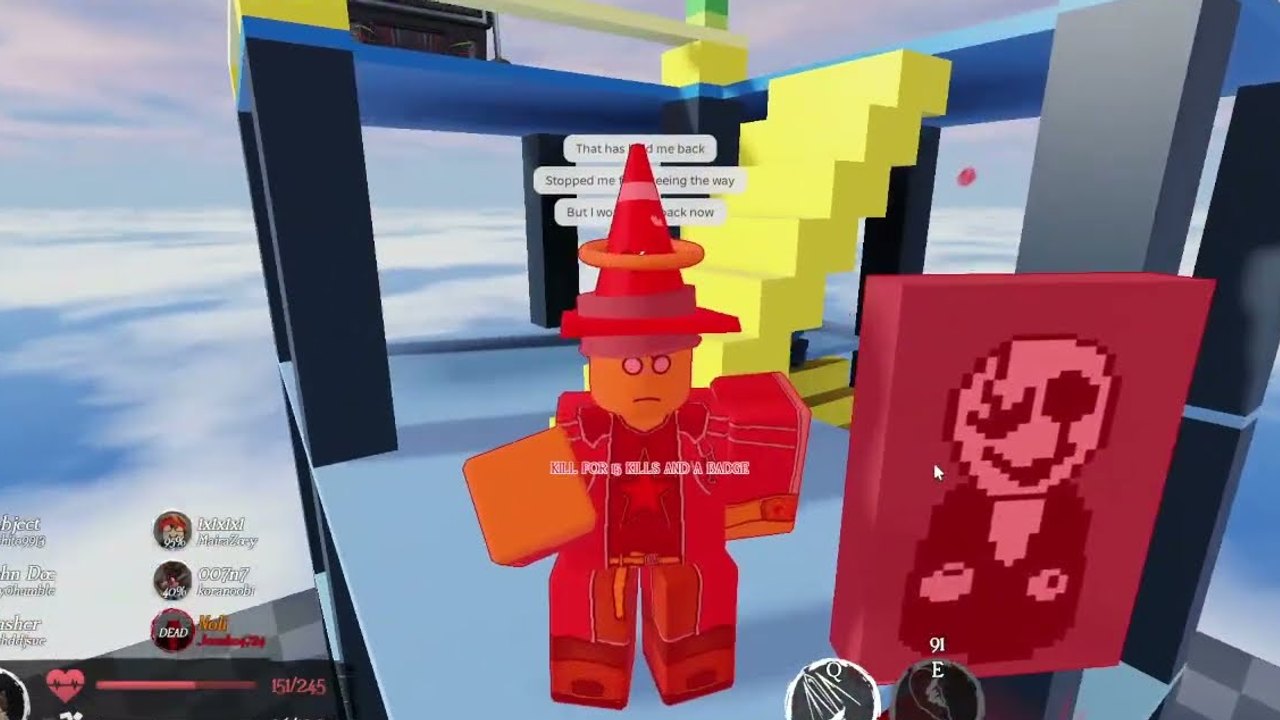
Untitled Forsaken Engine uses the same broad input language as other Roblox battlegrounds: move, sprint on a stamina bar, swing with M1, fire kit abilities from the HUD, emote, and lock the camera. Pair this reference with How to Play and Getting Started if you have not joined a public server yet. It also lives on the guides hub. Key labels can shift after a patch. If a button does nothing, rejoin and check patch notes before you rebind the whole client.
PC defaults
| Action | Default | Notes |
|---|---|---|
| Move | W A S D | Strafe during M1s. Do not only hold W. |
| Sprint | Hold Left Shift | Drains stamina. Burst it; do not empty the bar crossing the map. |
| Attack (M1) | Left mouse button | Primary swing for every sentinel and killer. |
| Abilities | On-screen keys (often Q, E, R, F, or 1–4) | Follow the HUD for your current kit. Do not assume horror Forsaken binds. |
| Emote | G | Opens emotes. Safe in hangout mode; a free hit in FFA. |
| Shift Lock | Shift Lock toggle in Roblox menu | Camera locked behind you so swings track mouse aim. |
| Chat commands | / or the chat bar | !taunt and !evilscary are community commands, not movement binds. |
Enable Shift Lock before your first public round. Without a locked camera every M1 is a guess. Toggle Shift Lock Switch in the escape menu if the default key fights your sprint finger. Change mouse sensitivity in hangout, not mid-streak.
Ability keys and the HUD
Each fighter shows cooldown icons on the HUD. Those icons are the truth. Sentinels and killers do not share one bind set. Read the icon, press the matching key, and watch the animation. Glance at stamina before you dash. If an icon is dark, wait a full cooldown in a quiet lobby before blaming ping. Full kit writeups live on the sentinel roster and killer roster.
Mobile
On phone and tablet the same actions are on-screen buttons:
| Action | Mobile control | Notes |
|---|---|---|
| Move | Left thumbstick | Keep it small so your thumb does not eat the attack button. |
| Sprint | Sprint button | Same stamina rule as Shift. |
| M1 | Attack button | Usually the large right-side button. |
| Abilities | Ability buttons | Laid out around the attack cluster. |
| Emote | Emote button | Same G-menu content. |
| Camera | Drag the right side of the screen, or a lock toggle if shown | A lock / Shift Lock equivalent is worth turning on if the build exposes it. |
Thumb overlap is the silent killer on mobile. If you fire an ability when you meant to M1, move jump and sprint in Roblox touch settings or pick a simpler kit from the character picker. Guest 1337 and Slasher read better on a small screen than Chance. Drop graphics until stamina and cooldown icons stay stable. You still need to read geometry; see the maps guide.
Console
UFE is playable through Roblox on consoles, but it has no published bind bible. Expect left stick to move, right stick to look, a trigger or bumper for M1, abilities on face buttons, and sprint on a stick click or bumper. If a control does nothing, open Roblox’s in-experience help before you assume the kit is broken. HUD bugs hit console first. Camera lock is the difference between a duel and swinging at the skybox. Turn on whatever Shift Lock equivalent your platform exposes.
Settings worth changing
Do these once, then go play:
- Shift Lock or camera lock on.
- Graphics low enough that ability icons never hitch.
- Volume high enough to hear footsteps in indoor pockets, low enough that emote spam does not hide them.
- Chat visible so you can see
!taunt/!evilscarydiscussion.!evilscaryis a private-server command now; do not stand in a public FFA typing it expecting a show. - Disable extra Roblox desktop UI that covers the stamina bar.
Then spend five minutes in hangout mode throwing M1s and each ability at nothing. If a bind feels wrong, fix it there. Public FFA will not wait. When the hands are automatic, go back to How to Get Kills and, later, killstreaks.
For executor or mobile-script searches, that is a different topic on the scripts hub and mobile scripts pages. Learn the real controls first. Most “broken mobile hitbox” complaints are a missing camera lock.
Frequently Asked Questions
Quick answers for Forsaken Free For All on Roblox.
What is M1 in Forsaken Free For All?
M1 is the basic attack: left click on PC, the large attack button on mobile. It is how most FFA fights actually end. See How to Play for when to swing versus when to use an ability.
Should I turn on Shift Lock?
Yes on PC. A locked camera lets M1s follow your aim. Test it in hangout mode before a public round.
Where is the emote key?
G on PC, emote button on mobile. Emotes are mostly free; more context is on skins and emotes.
Do mobile players use the same stamina rules?
Yes. Sprint still drains the bar. Keep a reserve to leave a fight, as How to Get Kills explains.
What do !taunt and !evilscary do?
!taunt is a chat toy people historically used while hanging out. !evilscary is a private-server command now. Neither is a movement bind. Hangout notes are on the hangout mode page.
Why did my ability key stop working?
UFE is prone to HUD bugs. Rejoin, confirm the on-screen icon, then check patch notes and Discord. Kit details live on the players hub.